5. FAQs (Frequently Asked Questions)
Here we will answer common questions.
If you have any other questions that need to be answered, you can send an email to yuzmbio@163.com.
Alternatively, you can ask questions on Github scVMAP-reproducibility.
5.1 Discovering issues on the website
The latest website improvements are complete.
If you discover any issues or areas that need improvement, please contact us promptly. Thank you for your contribution.
Note
If you find any minor issues that are inconvenient to disturb us, you can leave a message on GitHub. Thank you for your effort and time.
5.2 There is a problem accessing the website
Occasionally, we update information on the website, which may be due to conflicts between the previously cached data and newly published content.
Therefore, you need to clear the cache and access it again.
Note
The probability of this happening is relatively low. If clearing the cache does not solve the problem after it occurs, please contact us in a timely manner. Thank you for your contribution.
Tip
If you have accessed the scVMAP database link before October 28, 2025, it is recommended to clear the cache and access again.
5.3 Publicize front-end and back-end code
scVMAP front-end: https://github.com/YuZhengM/scvmap_webscVMAP back-end: https://github.com/YuZhengM/scvmap
We have released the full stack development code for the scVMAP database, which is very useful for bioinformatics database development. Users can directly download and use them to develop bioinformatics database websites.
At least mastering Vue and Spring Boot frameworks is necessary to start practical application.
5.4 Difficulties encountered in searching for trait or disease data
Here, we mainly have three modules that provide search functionality:
(1):
Homesearch module, (2):Data-browsesearch module, (3):Searchsearch module
The data returned by Home module contains significantly more columns than the data from Data-browse module.
Note
The functionality to perform a fuzzy search using a trait name is limited to the Home and Data-browse modules.
The Search module is designed for professionals who are familiar with disease categories, enabling them to look up specific disease information based on this classification.
Tip
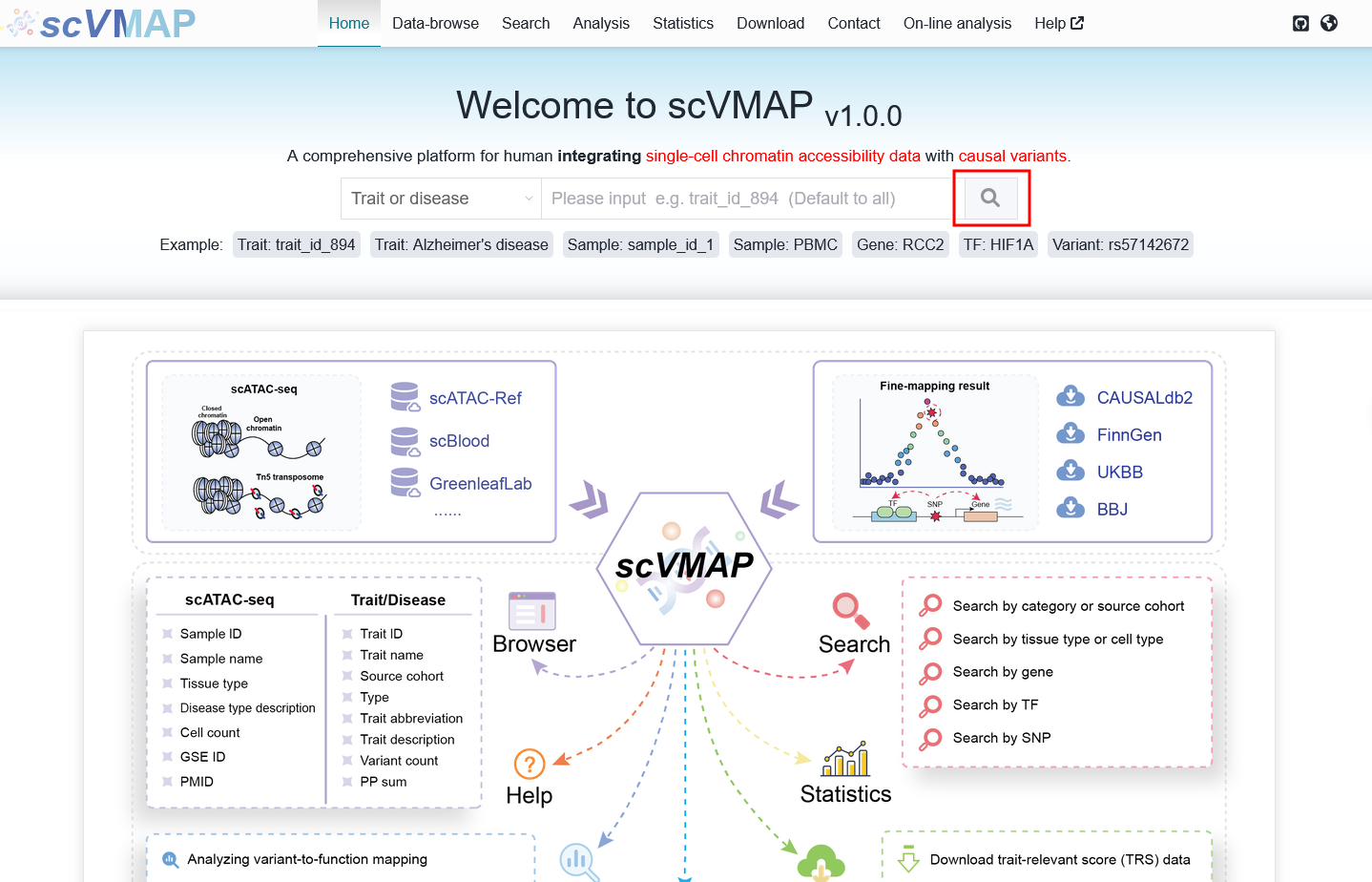
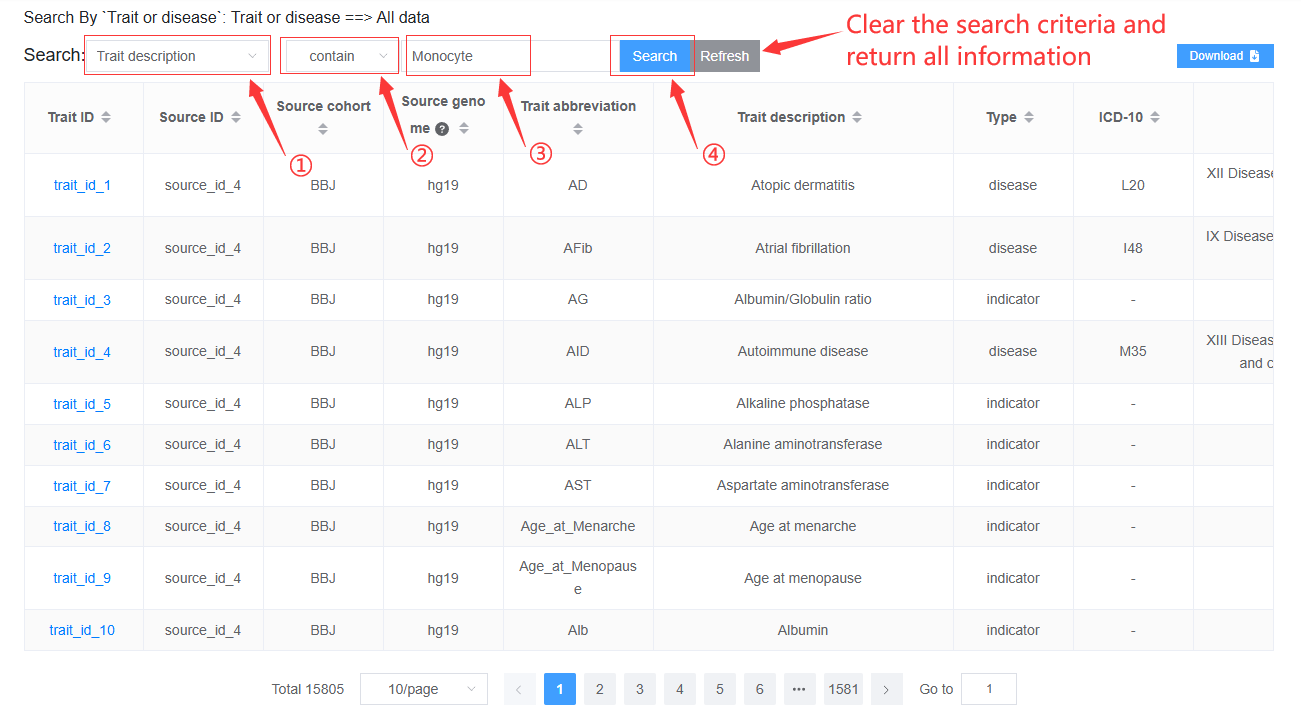
Recommended user search workflow: On the homepage, click the search button with an empty query to view all available data. Then, use custom filters on the columns of your choice to narrow down the results.