2.2 Data-browse
The “Data-browse” page of scVMAP provides users with options for single-cell samples and traits or diseases to access detailed data.
The displayed information content supports interactive tables, alphabetical sorting, and can be searched for the desired records using Search. After the user clicks on the “Sample ID” or “Trait ID” of interest, detailed information will be displayed on the new webpage.
Note
We provide table downloads.
2.2.1 Single cell chromatin accessibility data
Single cell datasets are further divided into sample or cell type based access data. Click on the Sample ID to enter the sample detail page.
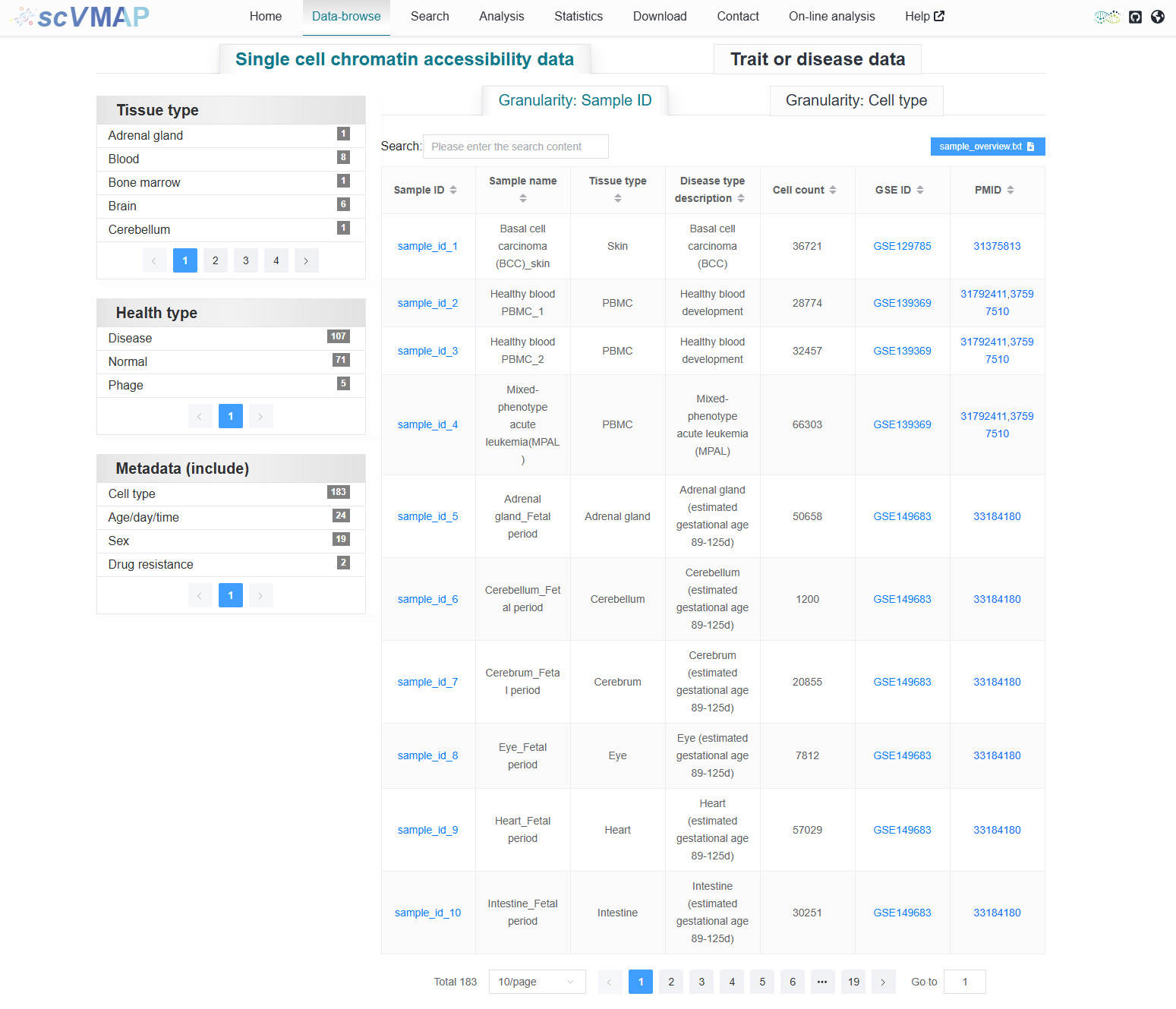
2.2.1.1 Granularity: Sample ID
We provide filtering based on “Tissue type”, “Health type” and “Metadata” using samples as the metadata.
Note
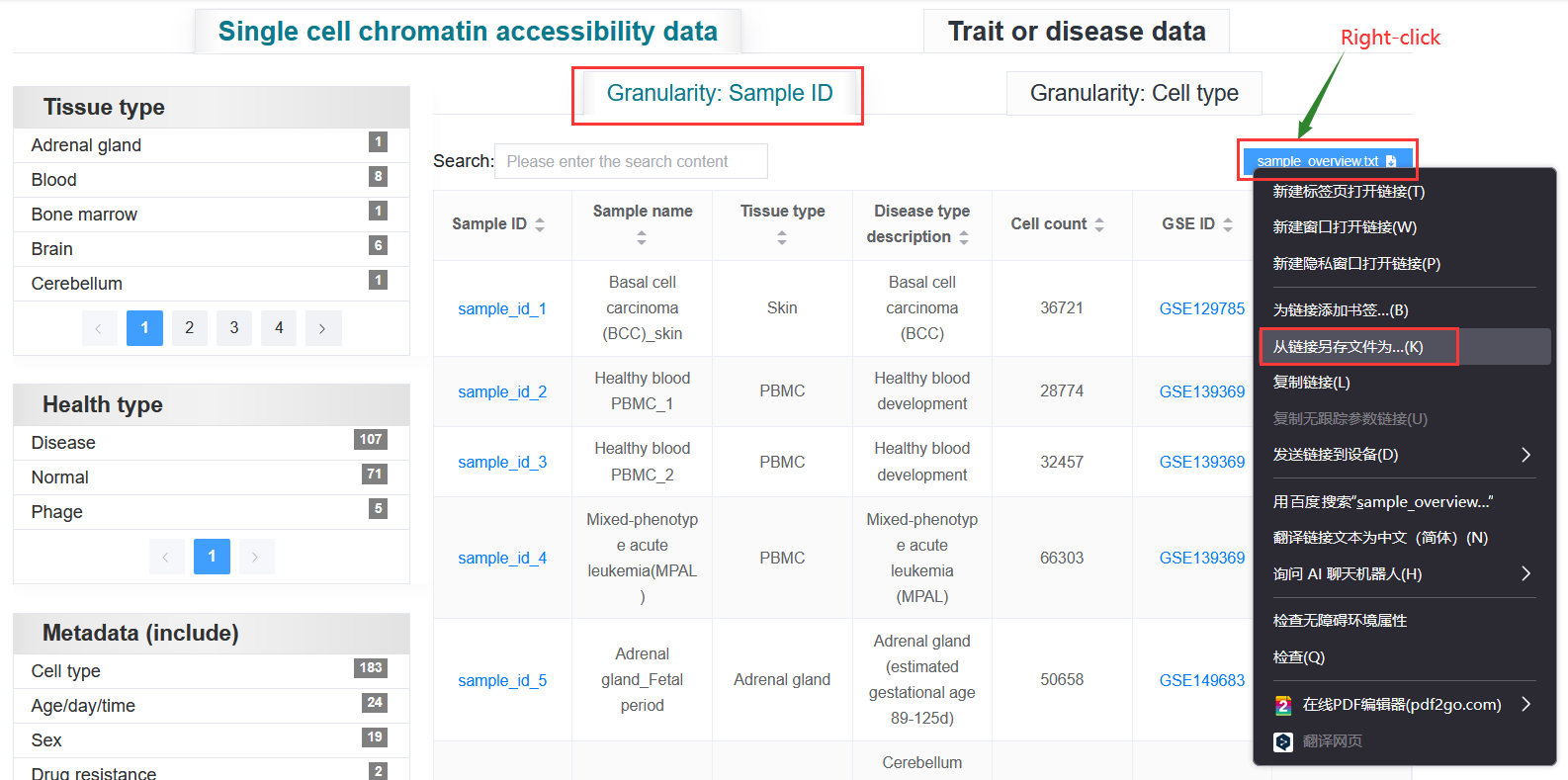
When downloading files, some browsers will directly open the txt file and need to save the file by right-click.
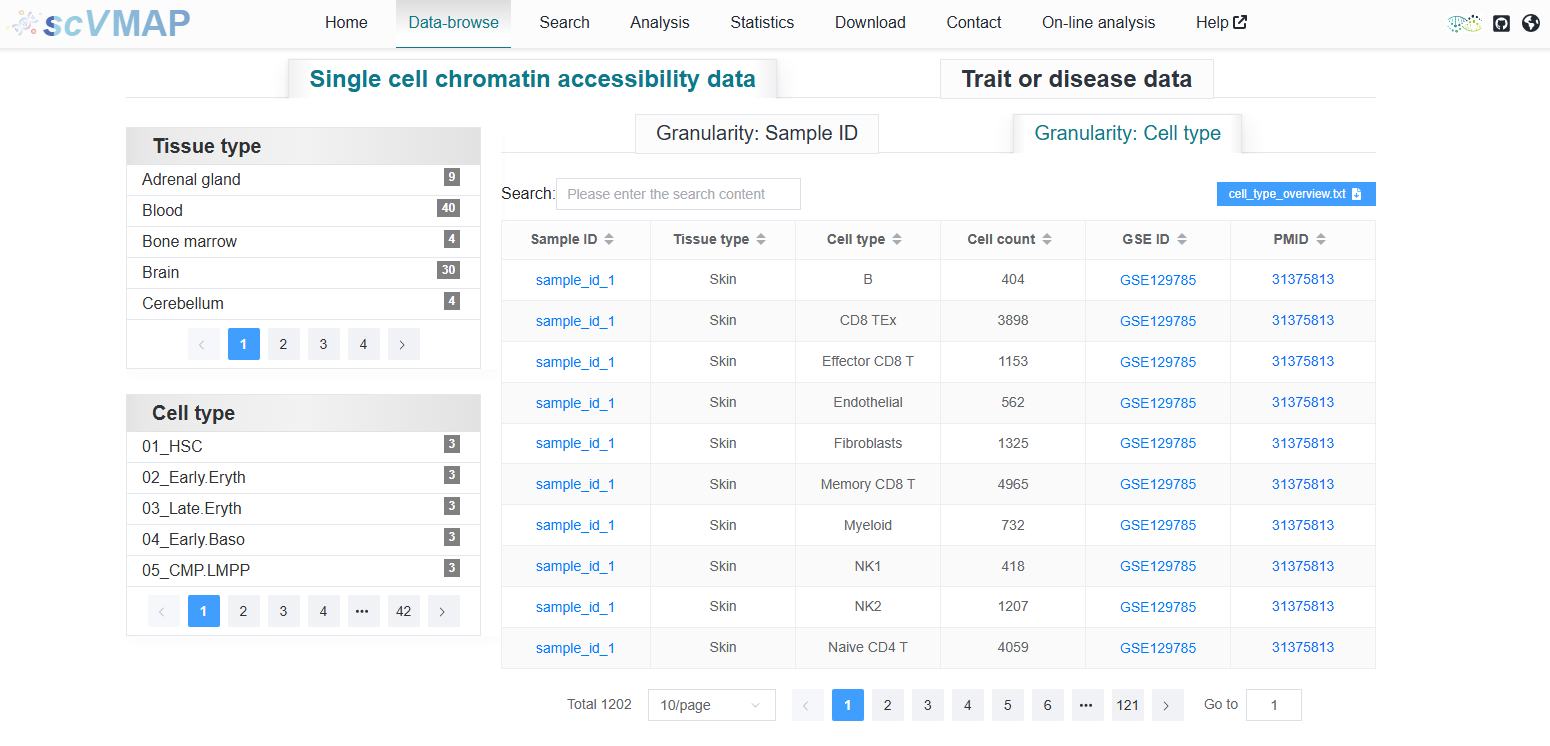
2.2.1.2 Granularity: Cell type
We provide filtering based on “Tissue type” and “cell type” using cell type as the metadata.
2.2.2 Trait or disease data
Trait or disease data is further divided into FINEMAP or SuSiE based access data. Click on the Trait ID to enter the trait or disease detail page.
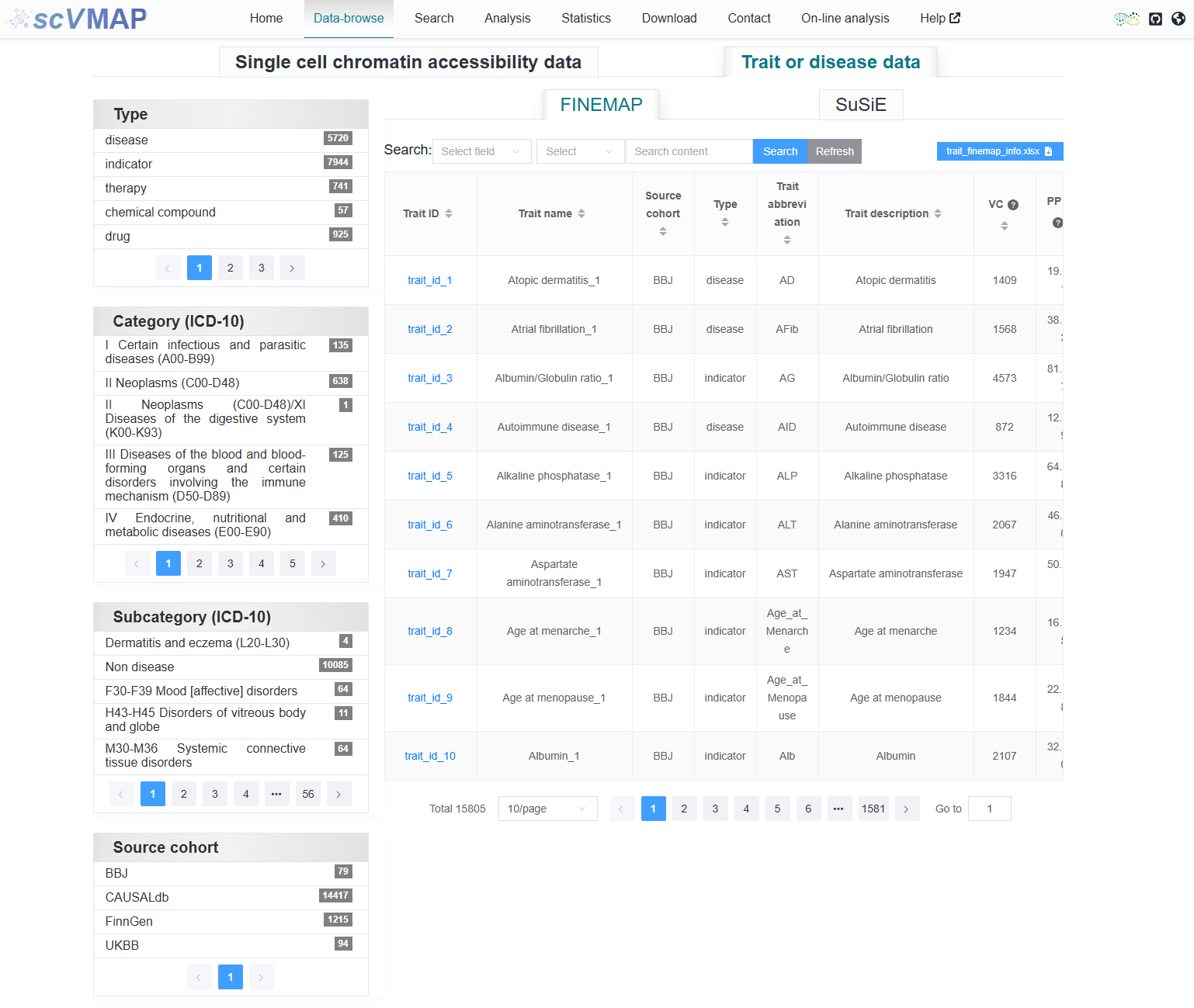
2.2.2.1 FINEMAP
The FINEMAP fine-mapping result data can be filtered by “Type”, “Category (ICD-10)”, “Subcategory (ICD-10)”, and “Source cohort”.
2.2.2.2 SuSiE
The SuSiE fine-mapping result data can be filtered by “Type”, “Category (ICD-10)”, and “Subcategory (ICD-10)”.
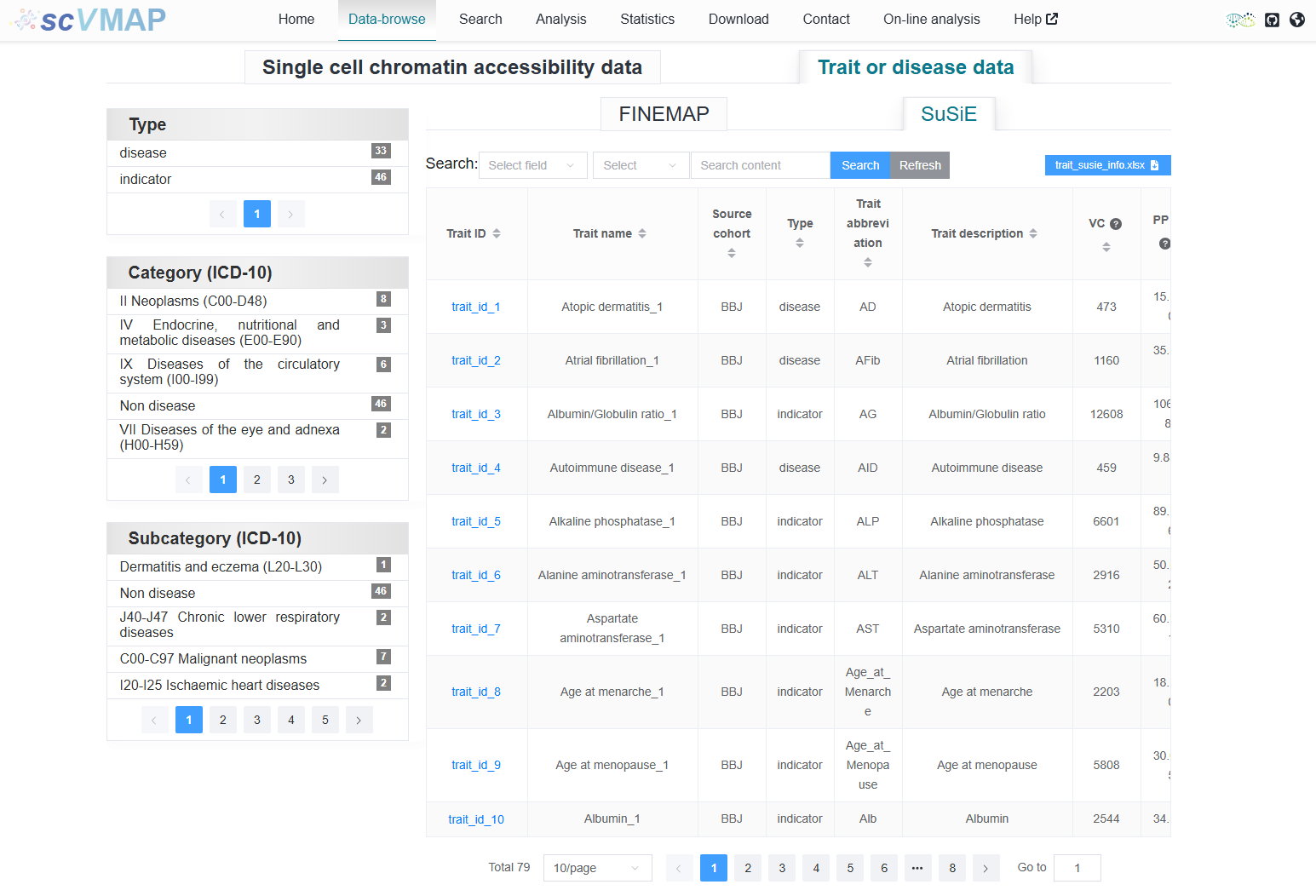
Note
The first step is to select the column that needs to be searched, then you can choose the search mode, add the search content, and click the Search button to get the search results. Click button Refresh to obtain the original table without any retrieved information.
Tip
Currently, SuSiE fine-mapping results can only be viewed through the “Data-browse” interface. Other interfaces, such as “Search” and “Analysis”, do not retrieve SuSiE data and are limited to FINEMAP results. Support for SuSiE data in these interfaces will be added in a future update.