2.1 Home
On the homepage, we provide an intuitive and concise interface, and support simple searches.
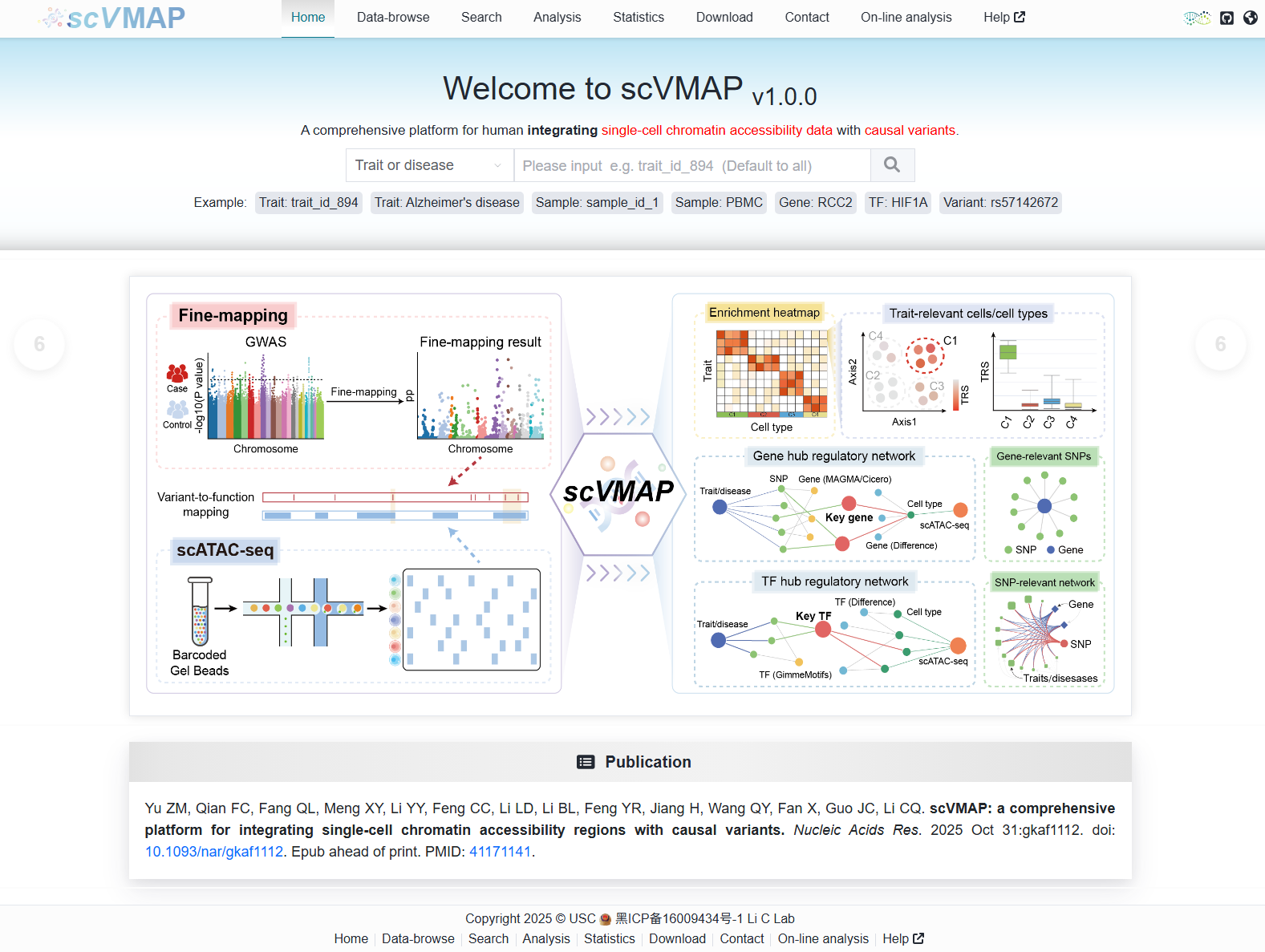
Search principle:
Here, we provide five search contents corresponding to the five search functions on the “Search” page.
2.1.1 Trait or disease search
- Input Type 1:
When a user enters a Trait or disease ID (e.g.,
trait_id_894), the system directs to the detailed page (https://bio.liclab.net/scvmap/detail?traitId=trait_id_894) of the corresponding causal variant effect data.
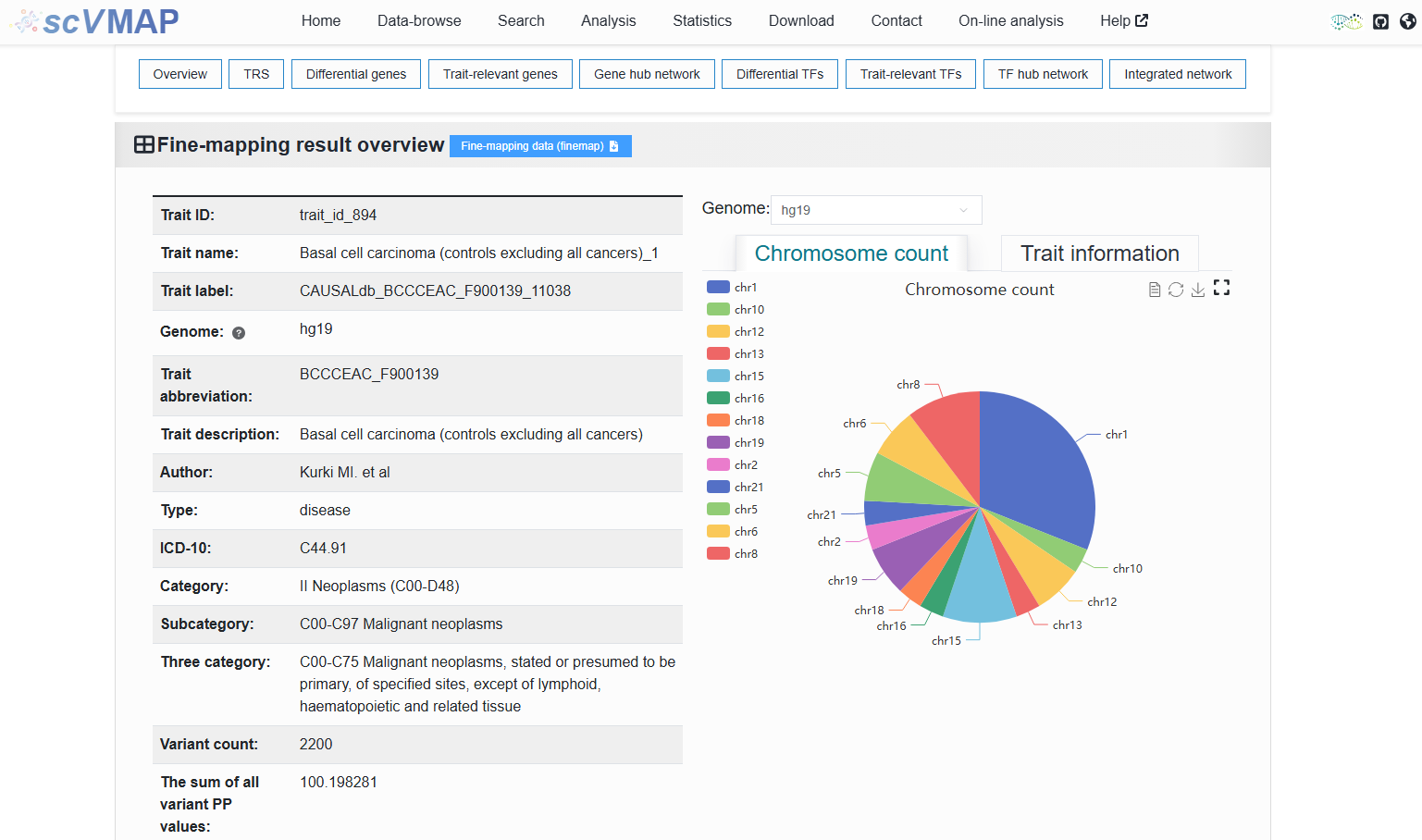
- Input Type 2:
Upon entering a trait or disease name (e.g.,
Alzheimer's disease), the user is presented with a table listing relevant results (https://bio.liclab.net/scvmap/simple_search?title=trait&value=Alzheimer’s+disease). This list is derived from a fuzzy search conducted on the input term using columnsTrait abbreviationandTrait descriptionfrom theTrait or disease datatab on the Data-browse page, ensuring comprehensive and relevant matches.
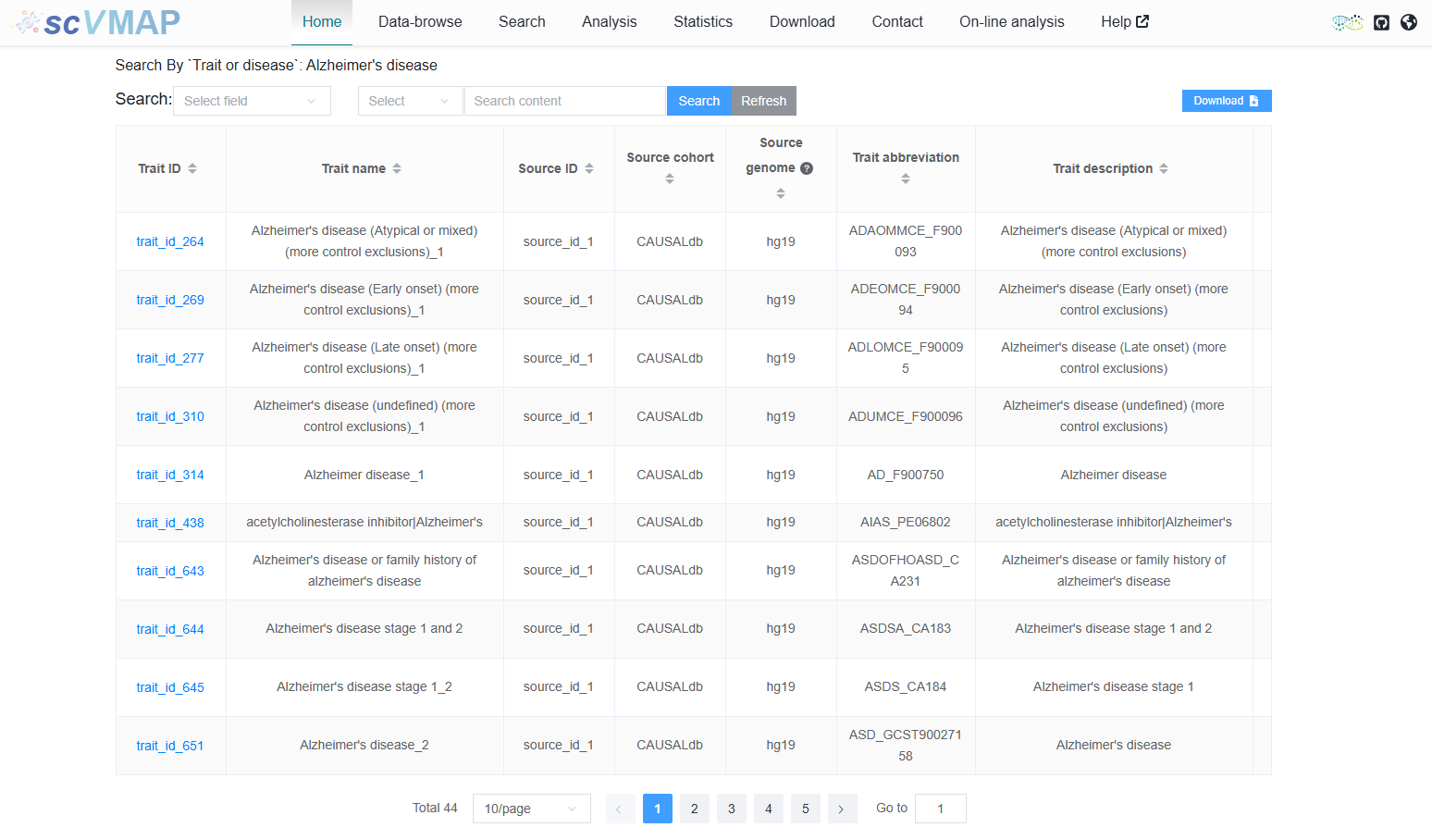
Clicking on the Trait ID will take you to the corresponding detail page to view detailed content.
Help document for users to view detail pages: https://scvmap.readthedocs.io/en/latest/usage/detail.html
Tip
When the search field is empty, clicking the search button will return data for all traits and diseases.
Note
Here, if the fuzzy search encounters the word “disease”, it will be ignored in the search. And it has a slightly different retrieval process from the corresponding function of “Search information by category or source cohort” on the “Search” page, but the retrieval results are the same.
2.1.2 Single cell sample search
- Input Type 1:
When a user enters a Sample ID (e.g.,
sample_id_1), the system directs to the detailed page (https://bio.liclab.net/scvmap/detail?detail?sampleId=sample_id_1) of the corresponding causal variant effect data.
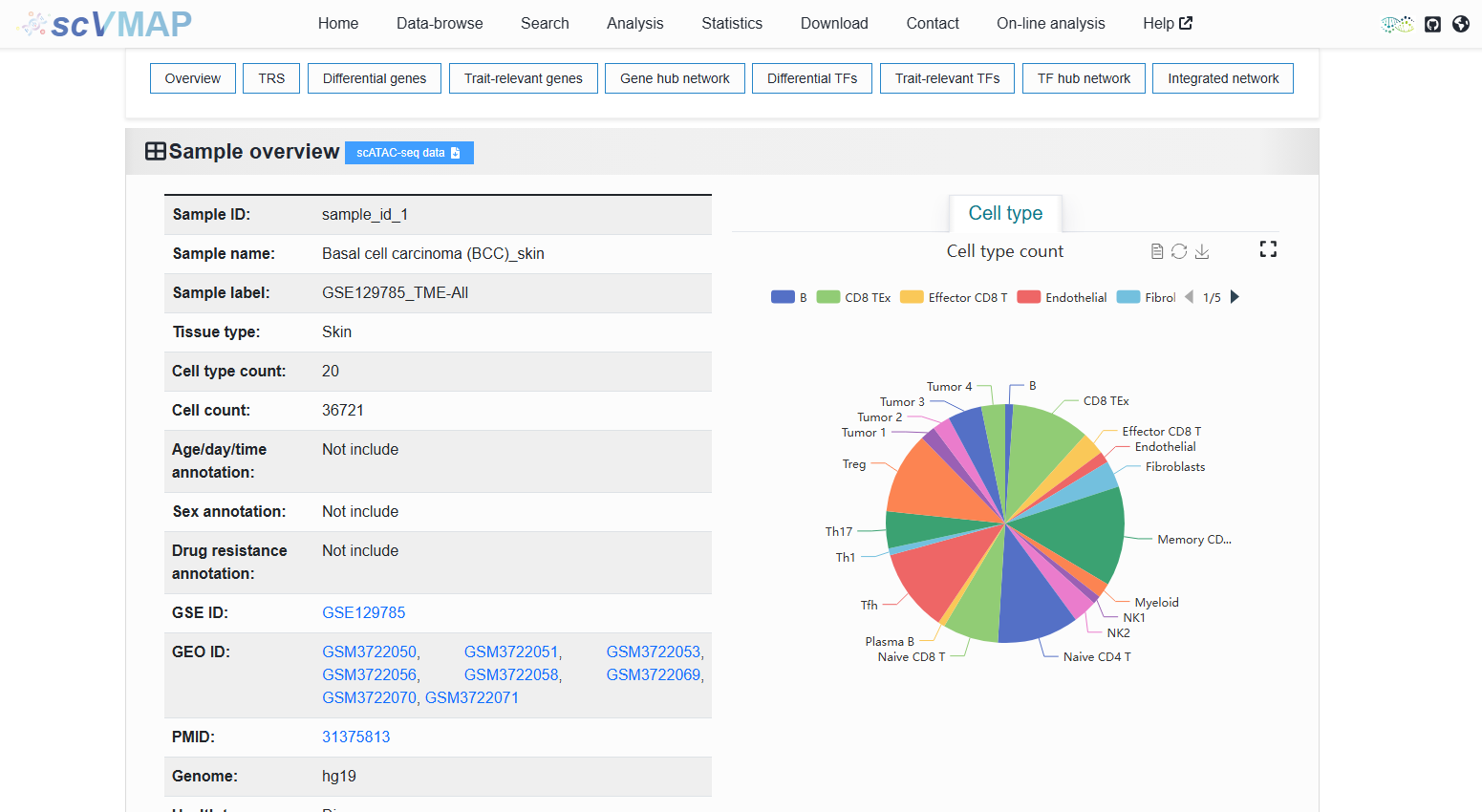
- Input Type 2:
Upon entering a trait or disease name (e.g.,
PBMC), the user is presented with a table listing relevant results (https://bio.liclab.net/scvmap/simple_search?title=sample&value=PBMC). This list is derived from a fuzzy search conducted on the input term using columnsTissue typeandHealth type descriptionfrom theSingle cell chromatin accessibility datatab on the Data-browse page, ensuring comprehensive and relevant matches. In addition, it also supports fuzzy search of the “Sample label” field in the detail page.
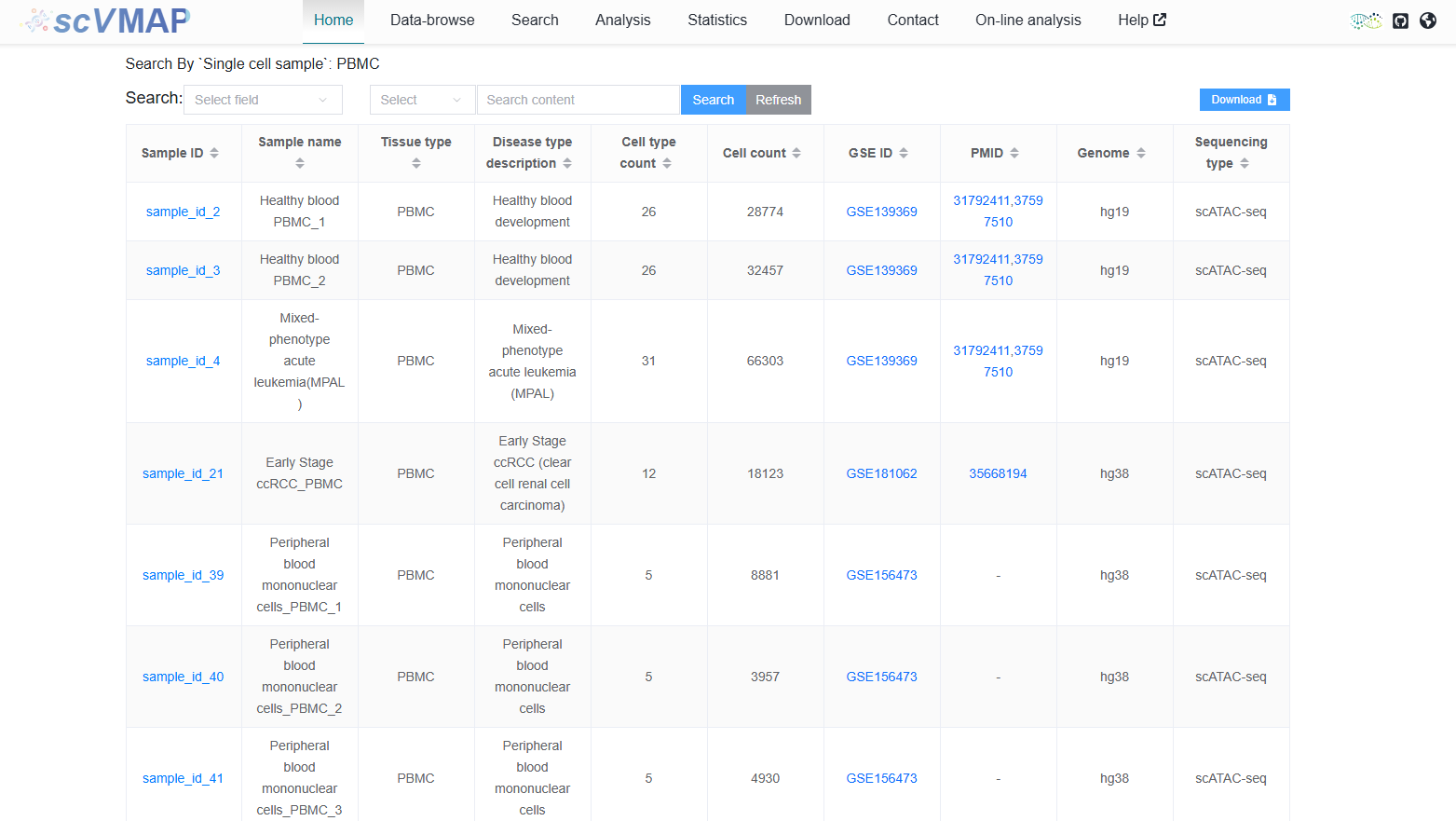
Clicking on the Sample ID will take you to the corresponding detail page to view detailed content.
Help document for users to view detail pages: https://scvmap.readthedocs.io/en/latest/usage/detail.html
Tip
When the search field is empty, clicking the search button will return data for all scATAC-seq samples.
Note
It has a slightly different retrieval process from the corresponding function of “Search for information by tissue type or cell type” on the “Search” page, but the retrieval results are the same.
2.1.3 Gene search
When a user enters a gene (e.g., RCC2), the system directs to the detailed page (http://bio.liclab.net/scvmap/gene_detail?gene=RCC2) of the gene.
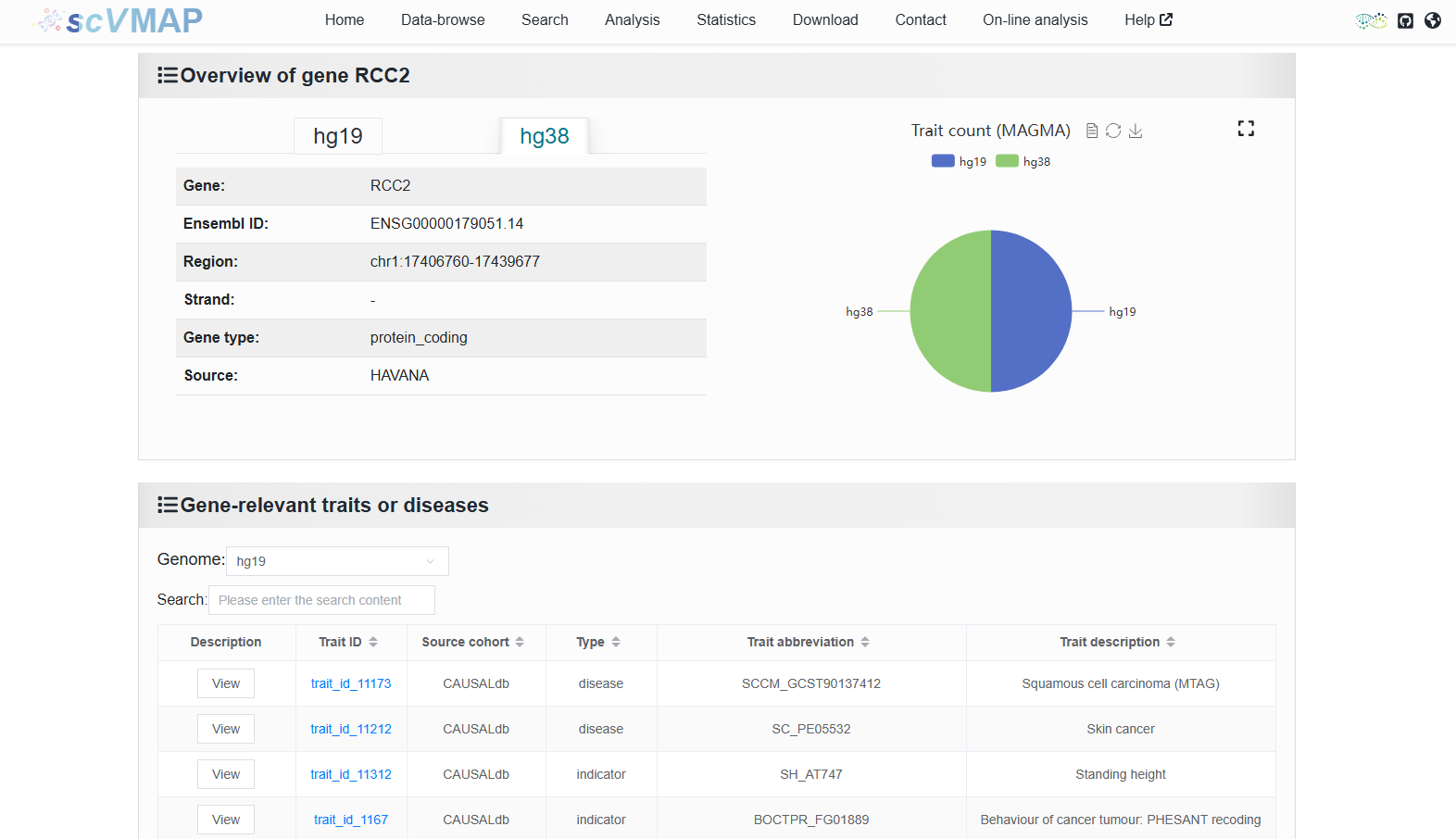
Help document for users to view gene details page: https://scvmap.readthedocs.io/en/latest/usage/search/gene.html
Note
It is completely consistent with the retrieval process and results of the “Search information by gene” function on the “Search” page.
2.1.4 TF search
When a user enters a TF (e.g., HIF1A), the system directs to the detailed page (http://bio.liclab.net/scvmap/tf_detail?tf=HIF1A) of the TF.
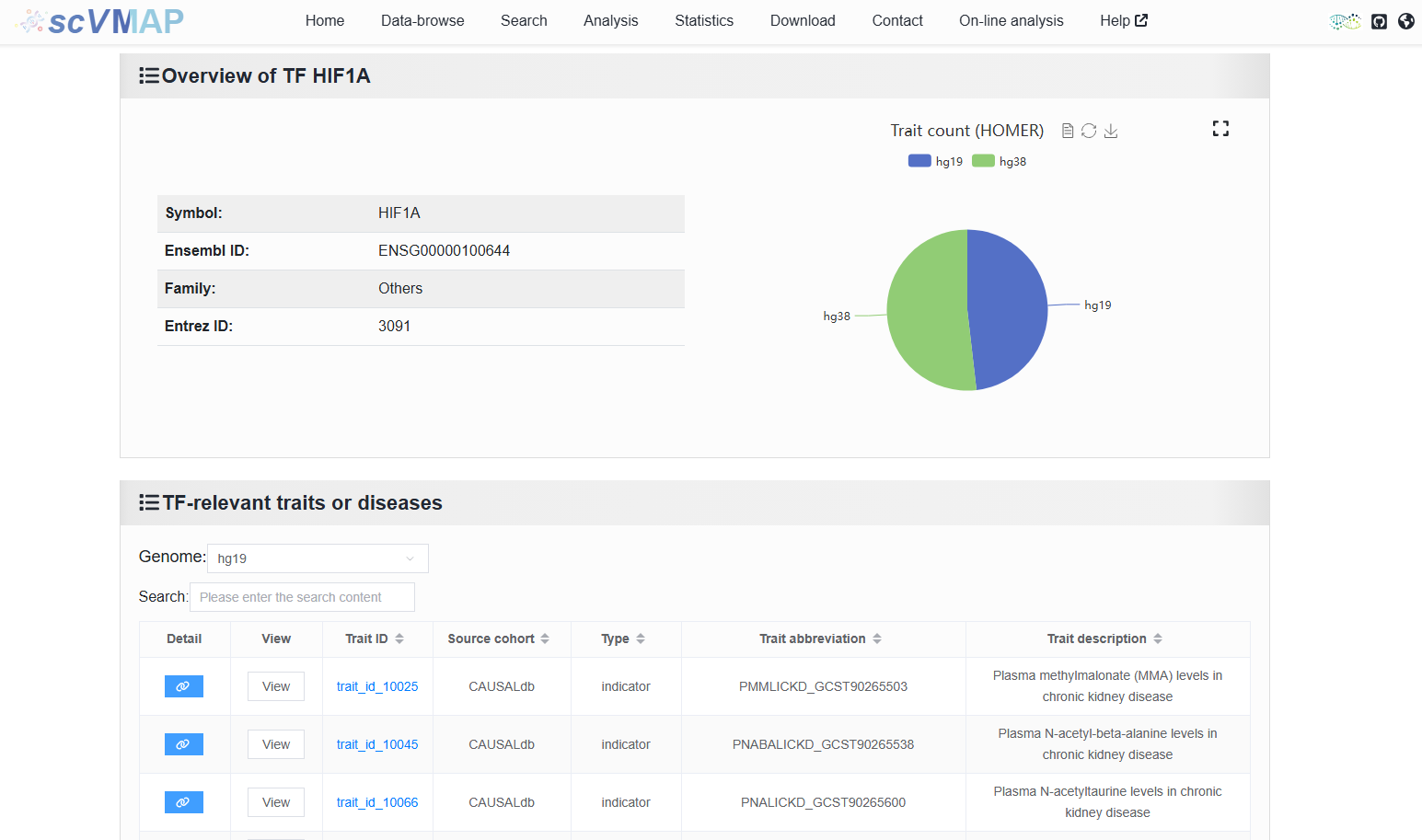
Help document for users to view TF details page: https://scvmap.readthedocs.io/en/latest/usage/search/tf.html
Note
It is completely consistent with the retrieval process and results of the “Search information by TF” function on the “Search” page.
2.1.5 Variant search
When a user enters a rsID (e.g., rs57142672), the system directs to the detailed page (http://bio.liclab.net/scvmap/variant_detail?variant=rs57142672) of the causal variant.
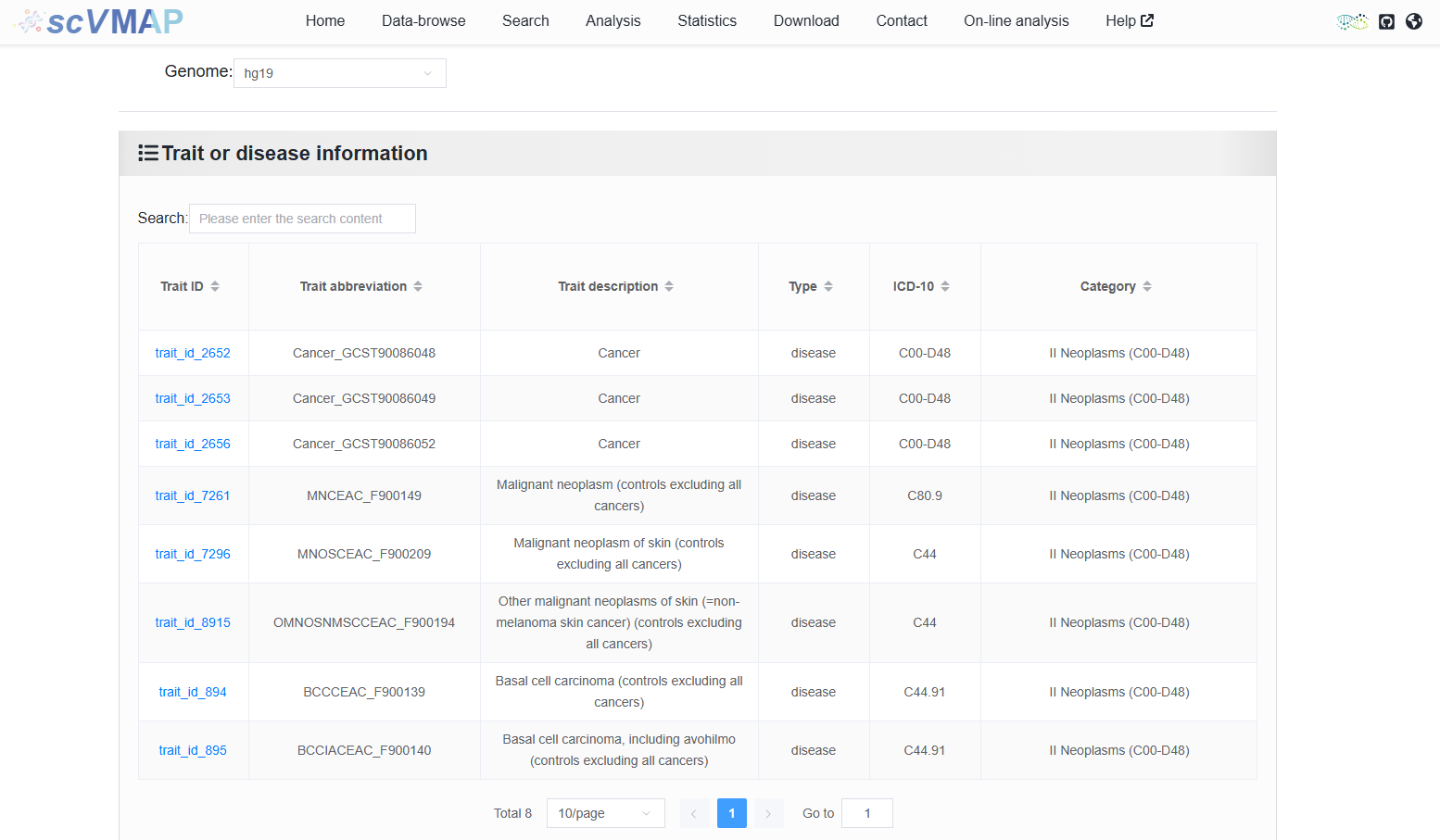
Help document for users to view variant details page: https://scvmap.readthedocs.io/en/latest/usage/search/variant.html
Note
It is completely consistent with the retrieval process and results of the “Search information by SNP” function on the “Search” page.